
01
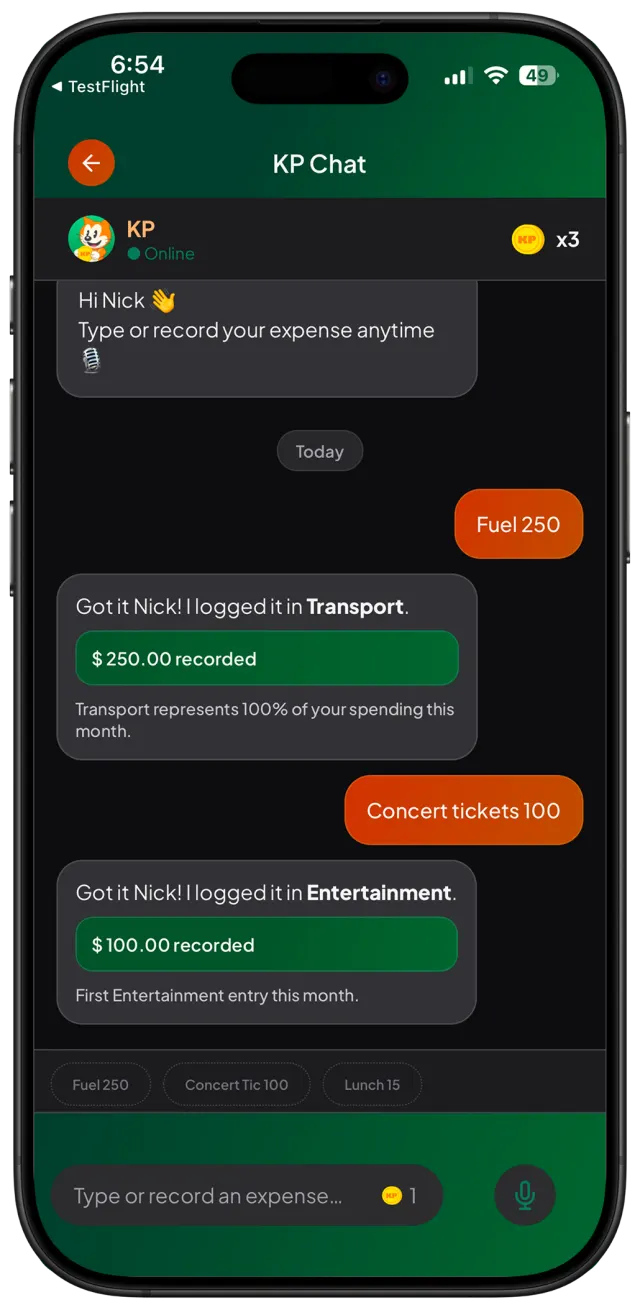
Say or type the expense
Use short, natural messages. KP is designed for fast everyday logging.
Voice expense tracker
Say or type a simple message like “lunch 25” or “Uber 12”. KP turns it into an organized expense so your money stays clear.
KP
Most expense trackers fail because logging feels like work. KP makes the habit feel as natural as sending a message.
Voice expense tracker
01
Use short, natural messages. KP is designed for fast everyday logging.
02
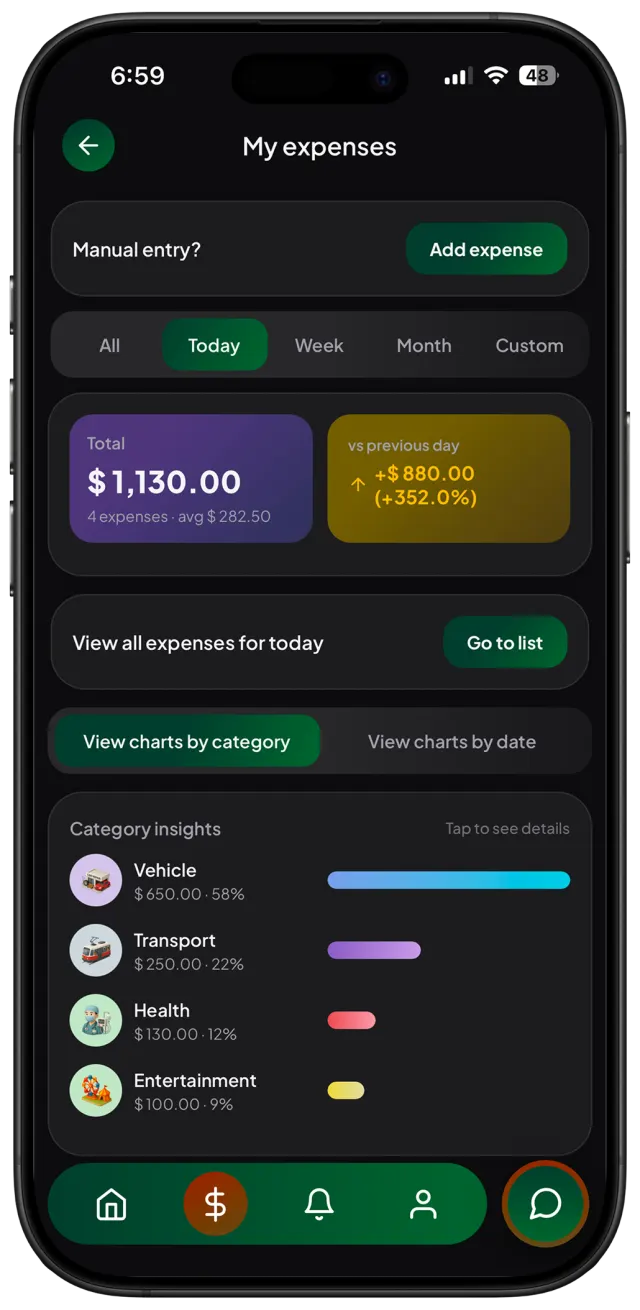
KP connects each expense to daily, weekly, and monthly spending views.
03
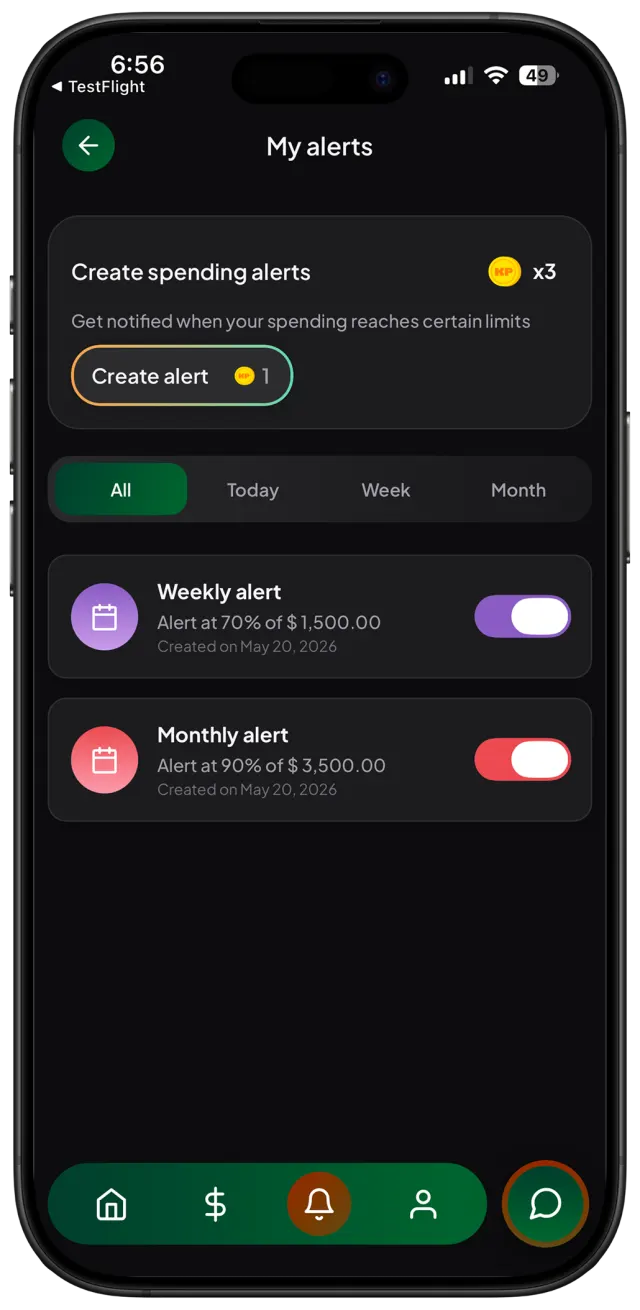
Alerts and budgets help you react before your spending gets away from you.
Trust
KP works manually with text and voice. You do not need to connect your bank or share banking credentials to start tracking.
Yes. You can log expenses by typing, speaking, or using the app controls.
No. KP is made for manual tracking by text or voice, so you can start without bank access.
KP organizes it so you can review your spending, categories, budgets, and alerts.